

Category
Recommended Products
CI503P COLOR ANALYZER
CI550 COLOR ANALYZER
CL138 UV light meter
CI510 COLOR ANALYZER
CL503 illuminance colorimeter
CI300 Color Analyzer
CL300 illuminance colorimeter
CI820 SPECTRAL LUMINANCE COLORIMETER
CL320 UV Meter
CI350 LUMINANCE COLORIMETER
Contact Us
E-mail:info@huicolor.com
Tel:0086 755 2317 9385
Mobile:0086 135 0006 9487
Technical Articles
A method for achieving high-speed illuminance and luminance measurement
- Time:2025-10-20
- Visits:1
Illuminometers are typically used to measure the illuminance, color temperature, and chromaticity coordinates of light sources (such as office LEDs). Luminance meters are usually employed to determine the luminance, chromaticity coordinates, and color temperature of LCD displays. The detectors in illuminometers/luminance colorimeters often employ automatic integration to collect light signals, which are then processed to calculate parameters such as the test light source's illuminance, luminance, color temperature, and chromaticity coordinates. The testing time of conventional illuminometers/luminance colorimeters typically ranges from 0.5 to 15 seconds. If real-time monitoring of light source illuminance and luminance at millisecond-level speed is required, conventional instruments are unable to fulfill this need.
The CL300 illuminance meter and CI300 color analyzer can conveniently achieve real-time monitoring of light intensity changes at millisecond-level speed, enabling further calculation of flicker. The detailed usage process is explained below.
I Overview of CL300/CI300 Instrument
The CL300 illuminance colorimeter adopts CIEXYZ filter+CMOS sensor for light signal acquisition, which can measure indicators such as light source illumination, color temperature, chromaticity coordinates, dominant wavelength, color tolerance, blackbody deviation, color purity, etc. The measurement range can reach up to 200000 lx. The instrument has conventional measurement mode, continuous measurement mode, and high-speed measurement mode (3 milliseconds/time). The instrument is equipped with professional computer software HIQC and can also be connected to a mobile app. The instrument is designed as a probe and can be connected to other devices via Bluetooth, TypeC USB, or serial port, making it ideal as an optical module embedded in automation equipment.
The CI300 color analyzer adopts CIEXYZ filter+CMOS sensor for light signal acquisition, which can measure indicators such as luminance, color temperature, chromaticity coordinates, color gamut, color tolerance, and color purity of the light source (display). The measurement range can reach up to 100000 cd/㎡. The instrument has conventional measurement mode, continuous measurement mode, and high-speed measurement mode (3 milliseconds/time). The instrument is equipped with professional computer software HIQC and can also be connected to a mobile app. The instrument is designed as a probe and can be connected to other devices via Bluetooth, TypeC USB, or serial port, making it ideal as an optical module embedded in automation equipment.
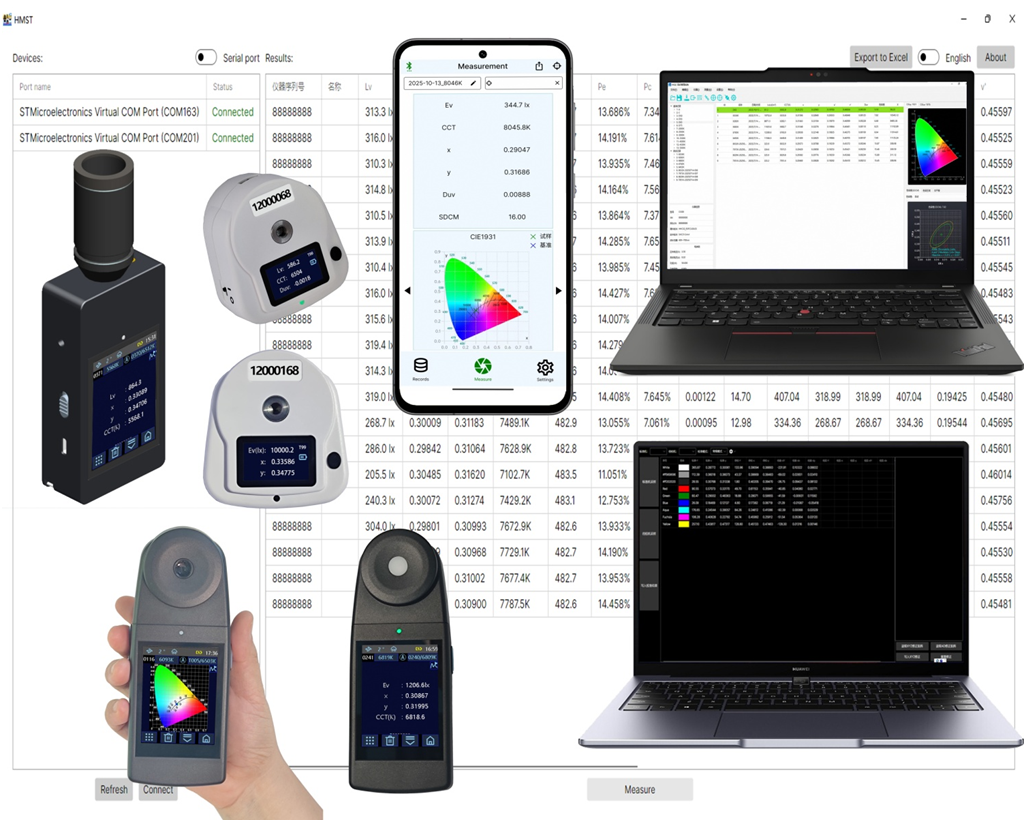
Figure 1
II Setting up a testing environment
Taking the CL300 illuminance colorimeter as an example, explain how to achieve high-speed photometric data measurement.
As shown in Figure 2, prepare the CL300 illuminance colorimeter and the PC serial port tool software, or write your own PC serial port communication software.
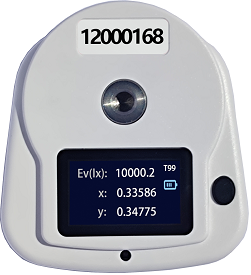
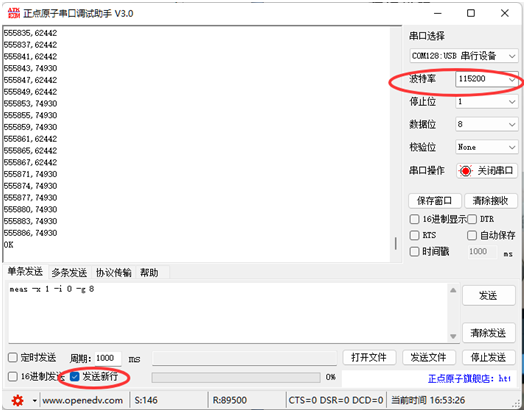
Figure 2
III Instructions for use
3.1 CL300/CI300 instrument, turn on the fast measurement mode (CMD MODE checked), as shown in Figure 3.
(Note: If you want to use the HIQC software, you need to turn off the fast measurement mode, as the communication modes of the two are different)
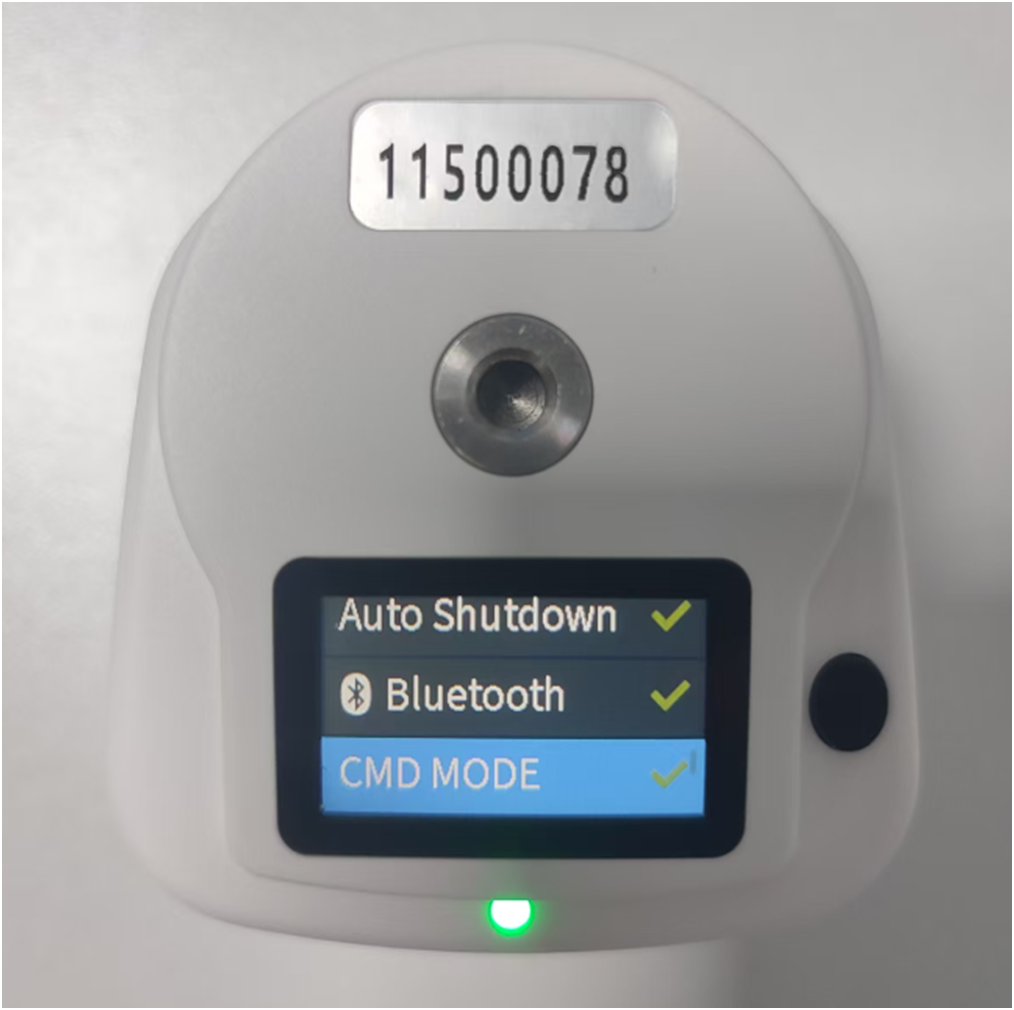
Figure 3
3.2 The CL300/CI300 instrument is connected to a PC computer via a USB data cable and USB interface. (WIN10 and above operating systems come with CL300/CI300 communication drivers)
3.3 Open the serial port software and configure it as shown in Figure 4 (baud rate 115200).
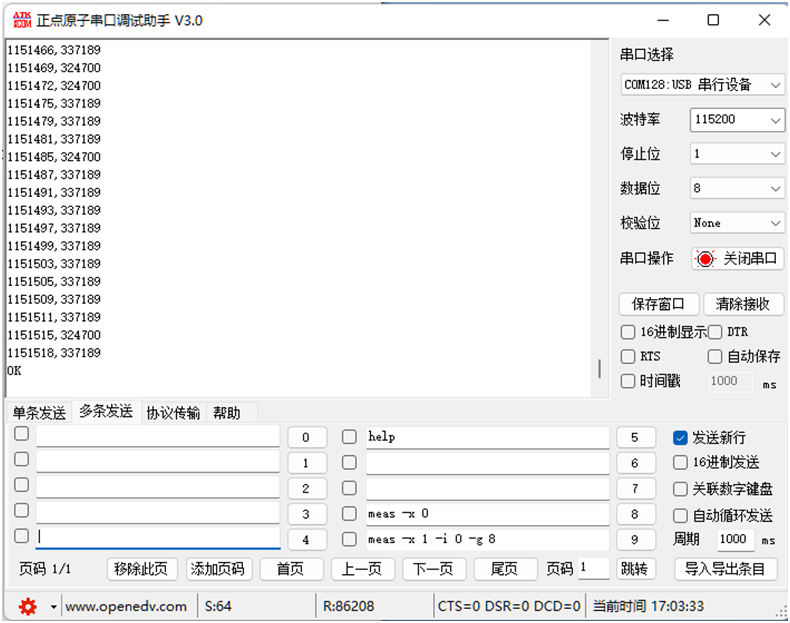
Figure 4
3.4 When the instrument and serial port tool software are connected and communicating normally, the serial port tool software can be used to send a start test command to CL300/CI300. After receiving the test command, the instrument will collect real-time photometric data of the light source at a frequency of 3 milliseconds per time, store it in the buffer, and send it to the serial port tool software:
A. All commands require adding line breaks
B. Start measurement command:
meas -x 1 -i 0 -g 8
3.5 When data collection is completed, send a stop test command to CL300/CI300 through the serial port tool software:
A. All commands require adding line breaks
B. Stop measurement command:
meas -x 0
3.6 After the serial port tool software reads the data, it can export and process the data:
After the serial port tool software sends a command to the instrument, the instrument starts data acquisition, and the output of a single record is as follows: "352078224792". The significance of the record is explained as follows:
The timestamp before the comma indicates the time (in milliseconds) that has passed since the instrument was turned on;
After the comma is the measured illuminance/ luminance value multiplied by 1000, so the actual illuminance/ luminance is 224792 * 0.001.
The meaning expressed by "352078224792" is: at 352078ms, the illuminance/ luminance data collected by the instrument is 224792 * 0.001.
By organizing multiple of the above values, a time response graph of the test light source's intensity over time can be obtained. Fourier transform can be applied to this response curve to obtain the frequency response graph of the test light source, which can then be used to calculate the Flicker response of the light source.
3.7 The default working mode of CL300/CI300 instrument is automatic integration test measurement. After completing high-speed measurement, the fast measurement mode can be turned off.
As shown in Figure 3, uncheck the selection symbol of "CMD MODE" to turn off the high-speed measurement mode. At this time, the instrument can perform regular automatic integration measurement and can be connected to a PC upper computer and a mobile APP.
IV Test Examples
As shown in Figures 3 and 4, the author used a CL300 illuminance colorimeter to measure the office lighting LED, and the data is organized as shown in Figure 5:
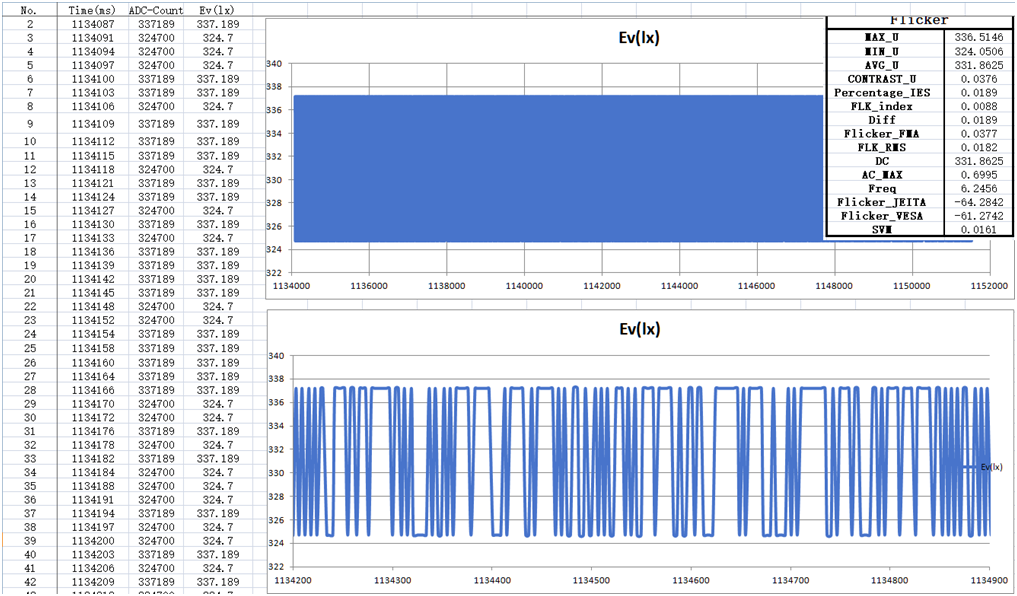
Figure 5